What Tesla 12-Volt Battery Warning Causes and Solutions Really Mean
You walk out to your Model 3, and a message appears that has nothing to do with your main pack: the car is warning you about the 12-volt battery. This Tesla 12-Volt Battery Warning: Causes and Solutions guide explains what that notice means and what to do next. It is one of the most common alerts owners see, and it is rarely the emergency it feels like.
Quick answer: The 12-volt battery powers computers, lights, and door controls, and the warning means it is weak, aging, or not charging properly. In most cases a battery replacement or a software reset fixes it. Check the alert level first, because a yellow warning allows normal driving while a red one needs attention now.
This article covers how the warning works, why it matters, the habits that prevent it, and the mistakes owners make when handling it.
What is Tesla 12-Volt Battery Warning: Causes and Solutions?
An electric car still carries a small 12-volt battery, and it does far more than start a motor. It runs the touchscreen, the computers, the lights, the door latches, and the high-voltage contactors that wake the main pack. When that small battery drops below a healthy charge, the car shows an alert on the display.
The wording varies by model and software version. Common messages include “12V battery needs replacement soon,” “12V battery voltage low,” and “Vehicle may not restart.” Some owners see a generic “electrical system” notice instead.
What causes the warning
Several problems produce the same alert, and the fix depends on which one applies.
- Age and wear. A lead-acid 12-volt battery lasts roughly three to five years. Older Model S and Model X cars mostly use this type.
- A failing battery cell. Internal resistance rises as the battery ages, so it holds less charge overnight.
- Loose or corroded terminals. A poor connection mimics a dying battery.
- Software or firmware glitches. These can produce false alarms or stop the car from recharging the 12-volt unit properly.
- Aging DC-DC converter. This part charges the small battery from the main pack. If it falters, the 12-volt unit slowly drains.
- Long periods parked at low charge. The car still runs background tasks, and a weak battery cannot keep up.
Newer models from around 2022 onward use a lithium-ion 12-volt replacement. These last longer and weigh less, but they can still fail or report faults.
What to do when the alert appears
Read the level first. A yellow or amber warning usually means “schedule service soon.” A red warning or one paired with “vehicle may not restart” suggests the battery is critically low.
Confirm whether your car has a lead-acid or lithium-ion 12-volt unit before buying a replacement. The two are not interchangeable, and installing the wrong type can cause faults.
If the warning is red, drive to a safe spot and arrange service. If the car will not wake at all, a jump start on the 12-volt terminals can restore access, but treat that as a temporary measure.
Takeaway: The alert almost always traces back to battery health, connections, or charging hardware, so diagnosis matters more than guessing.
Why Tesla 12-Volt Battery Warning: Causes and Solutions matters
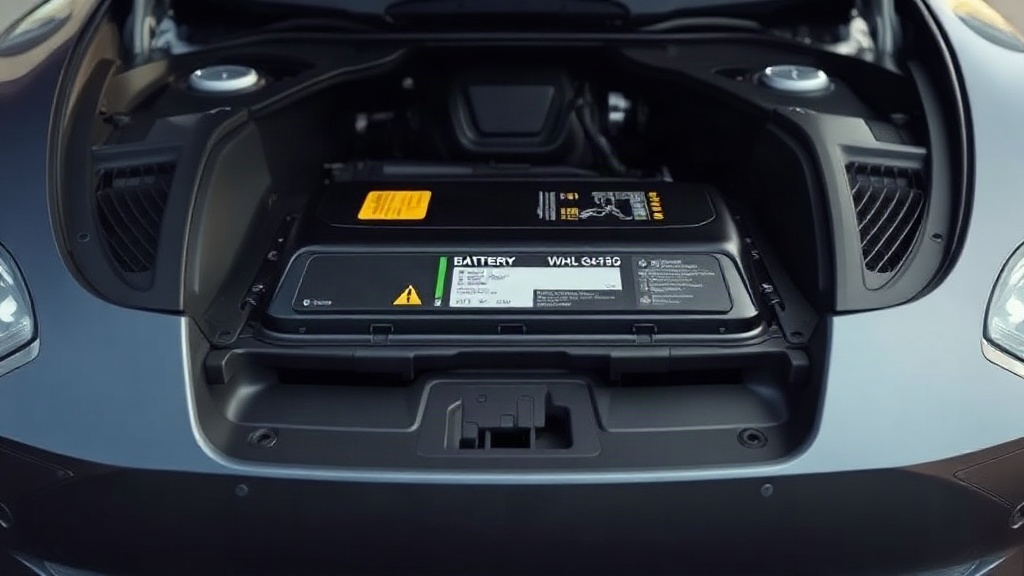
Ignoring this warning can leave you locked out or stranded. When the 12-volt battery dies completely, the car cannot engage its main pack, and the doors may not open normally. A driver who parks at a trailhead with a fading 12-volt battery can return to a car that refuses to wake.
The warning is also a cost signal. Catching it early means a straightforward battery swap. Waiting until failure can add a tow, a service visit, and potential damage to other components.
Safety and access concerns
The 12-volt battery controls the door latches and windows. If it fails while you are inside, the manual release still works, but you need to know where it is. Families with children in the rear seats should learn the rear door release location before it is needed.
A dying 12-volt battery can also disable the frunk release on some models. That matters if your charging cable or tools are stored there.
Cost and downtime
Replacement costs vary widely by model and region, and prices change. A lead-acid 12-volt battery is generally the cheaper option, while lithium-ion replacements cost more. Dealer service and independent shops price differently, so ask for a quote.
Downtime adds up too. A mobile service visit can replace a 12-volt battery at your home in many areas. A tow to a service center takes longer.
Comparison: Warning level vs. recommended action
The table below compares how owners should respond to each alert level. Notice that the difference is urgency, not whether to act.
| Alert level | What it usually means | Suggested action |
|---|---|---|
| Yellow/amber warning | Battery weak but still functioning | Book service soon; limit long parking |
| “Replacement soon” message | Capacity has dropped | Schedule replacement within weeks |
| Red warning or “may not restart” | Battery critically low | Stop safely and contact service |
Effect on software updates and features
A weak 12-volt battery can block over-the-air updates. The car needs stable low-voltage power to install them safely. Owners who see update failures alongside the warning often find a fresh battery resolves both issues.
The 12-volt unit is a tiny fraction of the car’s total battery capacity, yet it gates nearly every function. That mismatch is why the warning feels alarming out of proportion to the part.
Takeaway: Treat the alert as a maintenance prompt with real safety and cost implications, not a nuisance message.
Best practices
Good habits keep the 12-volt battery healthy and make warnings rarer. None of these steps requires tools or special knowledge.
Maintain a sensible charging routine
Plug in regularly rather than letting the main pack sit low for weeks. The car uses the main pack to top up the 12-volt battery, so a healthy main pack supports the small one. If you store the car for a long period, leave it plugged in at a moderate charge level.
Watch for early signs
Notice small oddities before the warning appears:
- Slower screen wake-up after the car sleeps
- Windows or door handles responding sluggishly
- Repeated low-voltage alerts that clear on their own
- Failed software updates
Reporting these to service gives technicians a head start.
Know your battery type and age
Check your model year and confirm which 12-volt chemistry your car uses. Owners of older lead-acid cars should plan for replacement around the three-to-five-year mark. Lithium-ion units typically last longer, but they are not immune to faults.
Respond to warnings promptly
Book service when the yellow warning appears rather than waiting for red. A mobile service appointment often handles a 12-volt swap in under an hour. Keep the car accessible and charged for the visit.
Take a picture of the message on the screen. Service advisors can identify the exact fault code faster, and you have a record if the warning clears before your appointment.
Ask about the DC-DC converter
If a new battery fails quickly, ask service to check the DC-DC converter and charging system. Replacing a battery without diagnosing the charging circuit can lead to repeat failures.
Takeaway: Regular charging, early reporting, and knowing your battery type prevent most 12-volt surprises.
Common mistakes to avoid
Owners often make the same handful of errors when handling this warning. Each one is easy to prevent.
Assuming a jump start is a fix
A jump start can wake the car, but it does not repair a worn battery. If the underlying cell is failing, the warning returns within days. Use a jump only to reach a safe location or service.
Installing the wrong battery type
Lead-acid and lithium-ion 12-volt units are not interchangeable. Buying a cheap replacement without checking your model’s requirements can cause faults or void coverage. Confirm the correct part number with Tesla or a qualified shop.
Ignoring a red warning
Some drivers keep driving on “vehicle may not restart” messages. That risks a sudden failure in traffic or a locked car in a remote area. Treat red alerts as stop-and-fix signals.
Skipping the charging system check
A new battery on a failing DC-DC converter will die again. Ask for a charging system inspection whenever a battery is replaced early or fails repeatedly.
Overlooking terminal condition
Corroded or loose terminals mimic a dying battery. A technician should inspect connections during any service visit, especially on older cars.
Modern Teslas run sensitive computers and safety systems. Disconnecting the 12-volt battery without following Tesla’s procedure can trigger faults or disable functions. Let service handle it.
Takeaway: The biggest mistake is treating the alert as cosmetic. Diagnose the cause, use the correct part, and check the whole charging path.
FAQ
How much does a Tesla 12-volt battery replacement cost?
Prices vary by model, battery chemistry, region, and whether you use mobile service or a service center. Lead-acid replacements are generally cheaper than lithium-ion units. Request a quote through the Tesla app or a qualified independent shop before committing.
Can I keep driving with the warning showing?
A yellow warning usually allows normal driving while you book service. A red warning or “vehicle may not restart” message means you should stop safely and arrange help. Continuing to drive on a red alert risks a sudden failure.
How long does a Tesla 12-volt battery last?
Lead-acid units typically last about three to five years. Lithium-ion 12-volt batteries last longer, though they can still fail. Climate, parking habits, and charging routines affect lifespan.
Will a 12-volt warning stop my car from charging?
It can. A critically low 12-volt battery may prevent the car from waking to accept a charge. If your car won’t charge and the warning is red, get the low-voltage system checked first.
Can I replace the 12-volt battery myself?
Some experienced owners do, but the procedure differs by model and carries risk. Incorrect handling can trigger faults or disable safety systems. Mobile service is usually the safer route.
Conclusion
The Tesla 12-Volt Battery Warning: Causes and Solutions picture is simpler than it first appears. The alert points to a small battery, a loose connection, or a charging fault, and most cases resolve with a replacement or a service check. Act on yellow warnings early, treat red ones as urgent, and confirm your battery type before buying parts.
If your car is showing the warning now, open the Tesla app and book service today. Note the alert level, photograph the message, and mention any sluggish electronics you have noticed. That small step protects your access, your schedule, and your wallet.